 Keystone
A ledger for your house.
Register what you own — the furnace, the car, the dishwasher — and Keystone works out the rest. When the filter is due. What the season wants doing. What you have put into the place, to the dollar. A filter reminder is not a task you typed; it is a consequence of owning an HVAC unit installed in 2019.
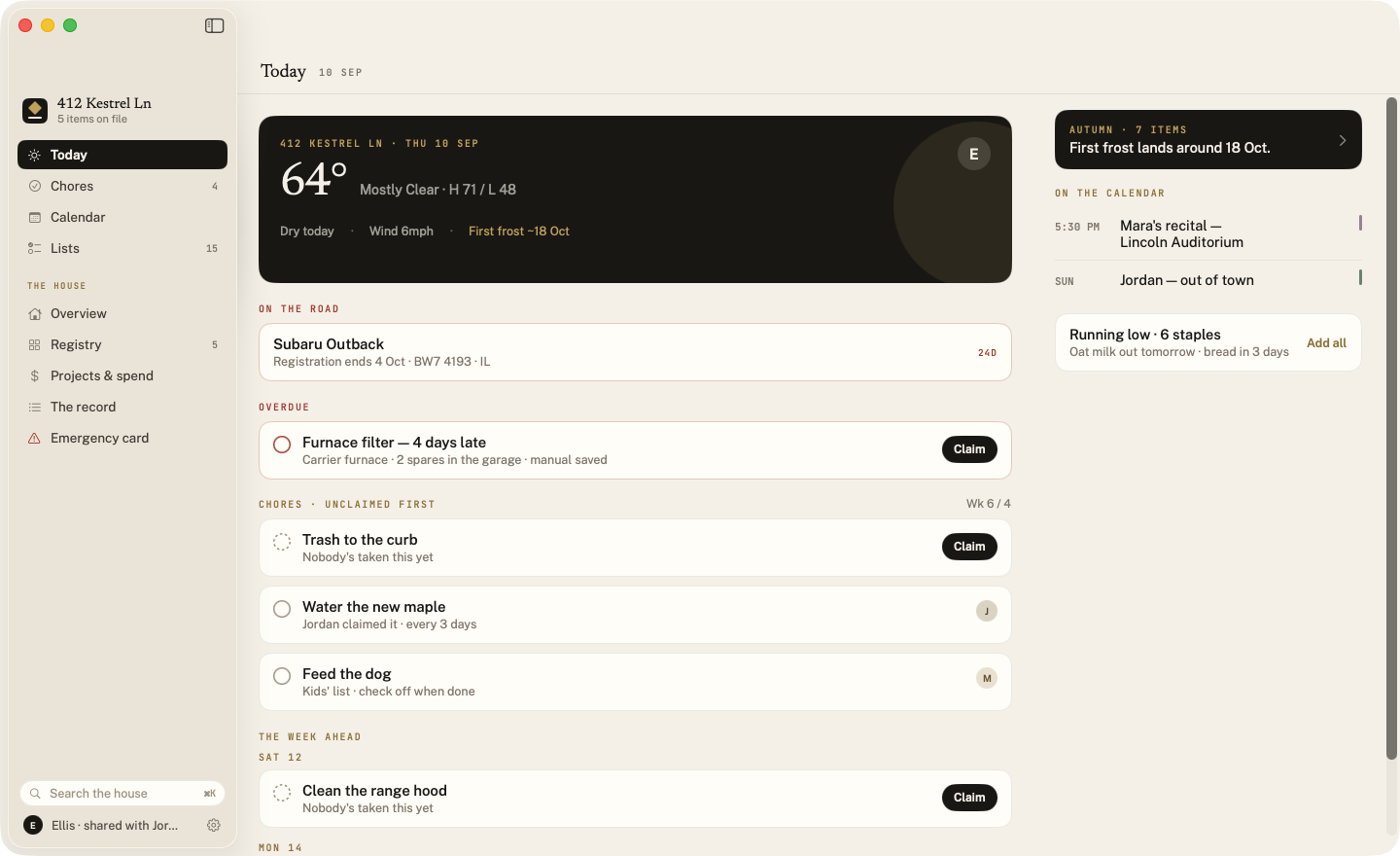
Dry all week — a good window for the gutters. First frost around the eighteenth. Keystone only mentions the forecast when it has made something you already meant to do easy.
Chores are claimed, never assigned. Planning the week at the kitchen table, one person can note who is taking what — and whoever it lands on can hand it straight back. A claim is for that week only, so nobody inherits the bins for ever. There is a passive weekly count and no streaks, points or badges, and when the calendar says somebody is away their recurring chores go quietly back in the pile.
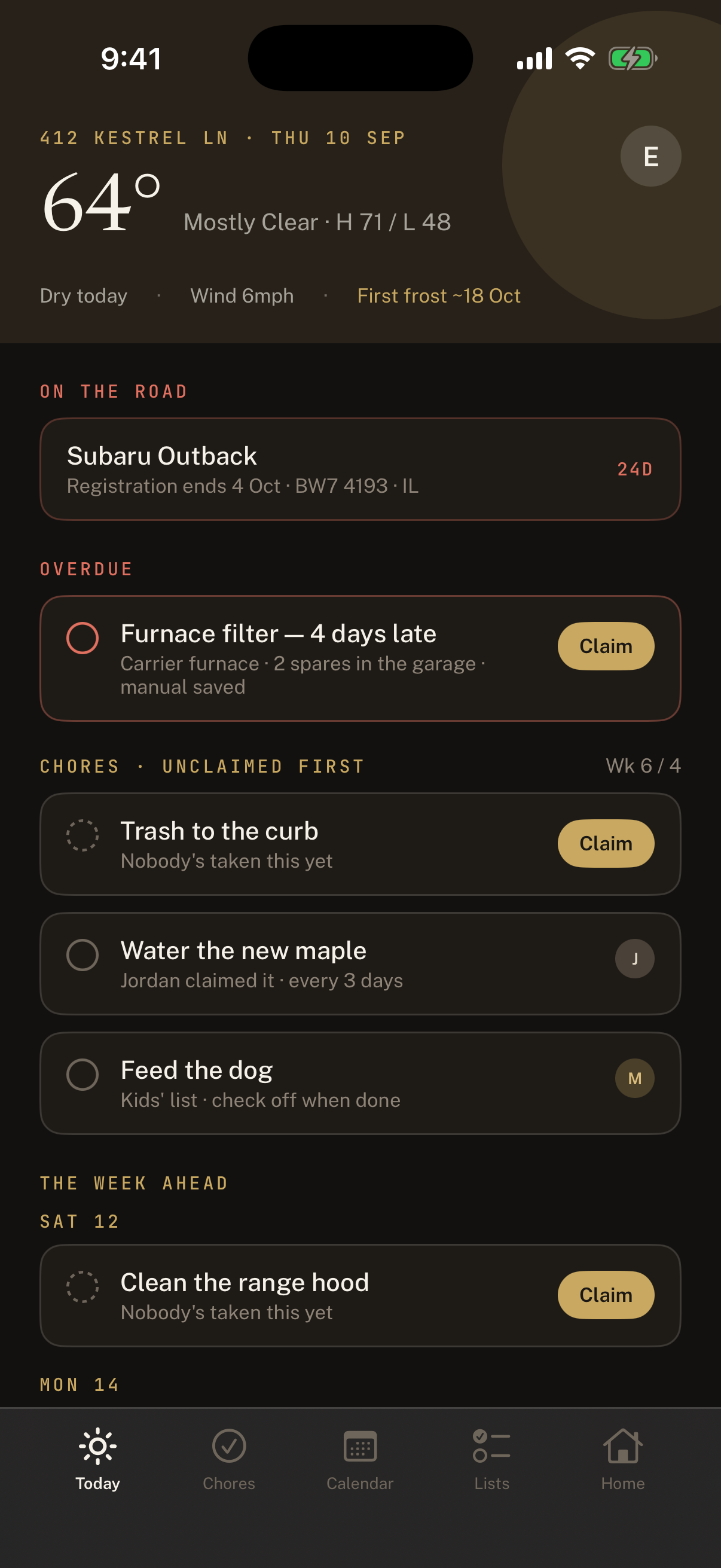
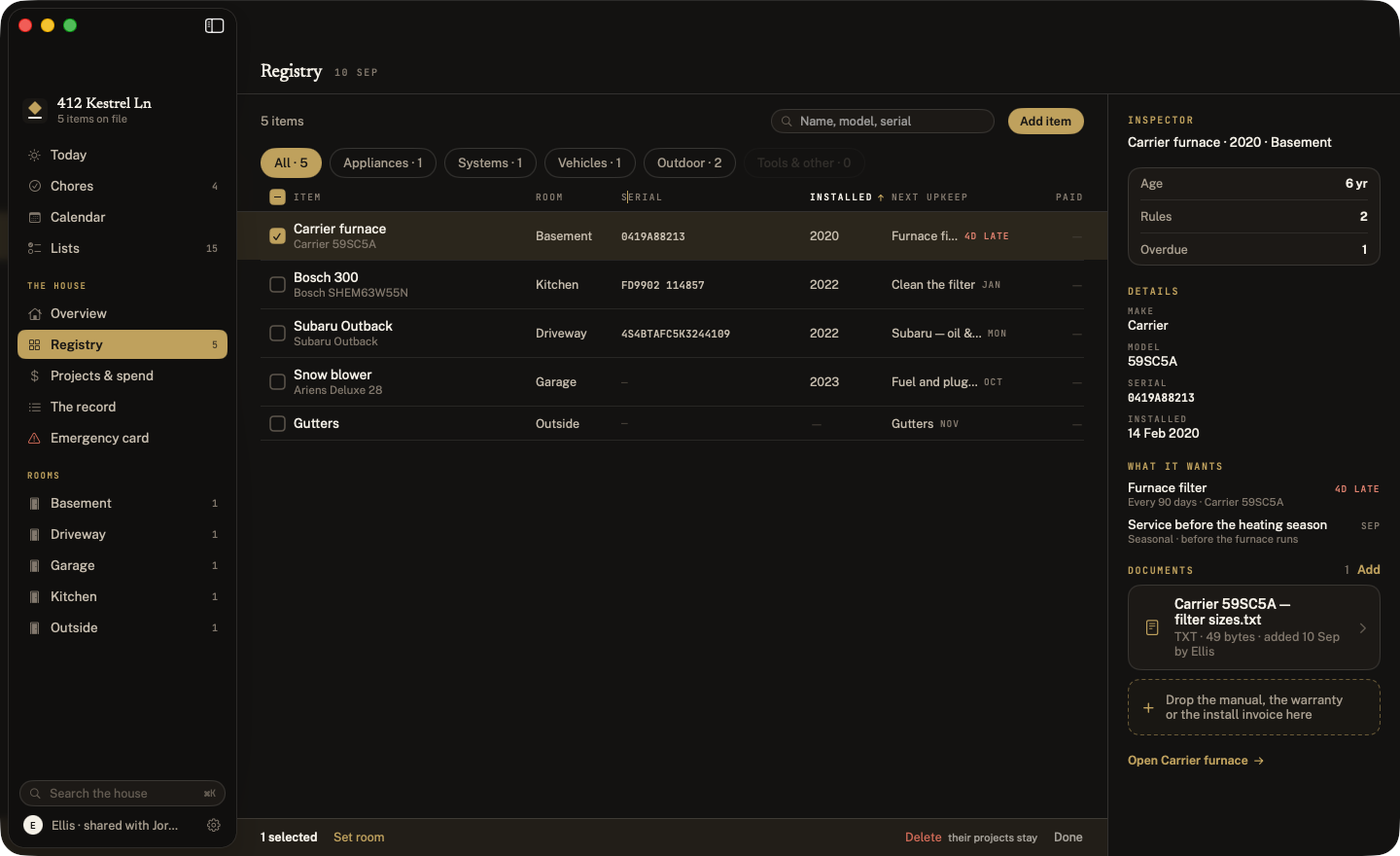
Serial numbers, install dates, manuals, warranties, what you paid and every time it has been serviced since. Search reaches all of it — including the serial, which is the one search that has to beat a drawer.
It holds the contents too. The television, the console, anything worth listing goes on file beside the furnace with the same serial, photograph and receipt — totalled room by room, which is how a claim is made, and printable as a home inventory for your insurer — with you choosing, each time, what goes in. Nothing is ever scheduled for them: an app that invents work for a TV stops being believed about the furnace.
A car keeps its VIN and its plate, and tells you before the registration runs out. On the Mac it is a real table: sort by age, drag the columns to fit your serial numbers, select the three oldest, drop a manual straight onto an item.
Six things want doing before first frost. Accept the set and they spread across five weekends — instead of arriving as six separate notifications in October.
Grocery, hardware and wishlist, shared live. Keystone learns how fast you get through the coffee and offers it — with its reasoning visible. Nothing is ever added silently.
Receipts grouped into projects, tied to a room or an item, totalling a lifetime figure you can export at resale. Rooms are a list the house keeps, so nothing is ever filed under a typo. Not a budget — a record. Delete the dishwasher; the $849 stays.
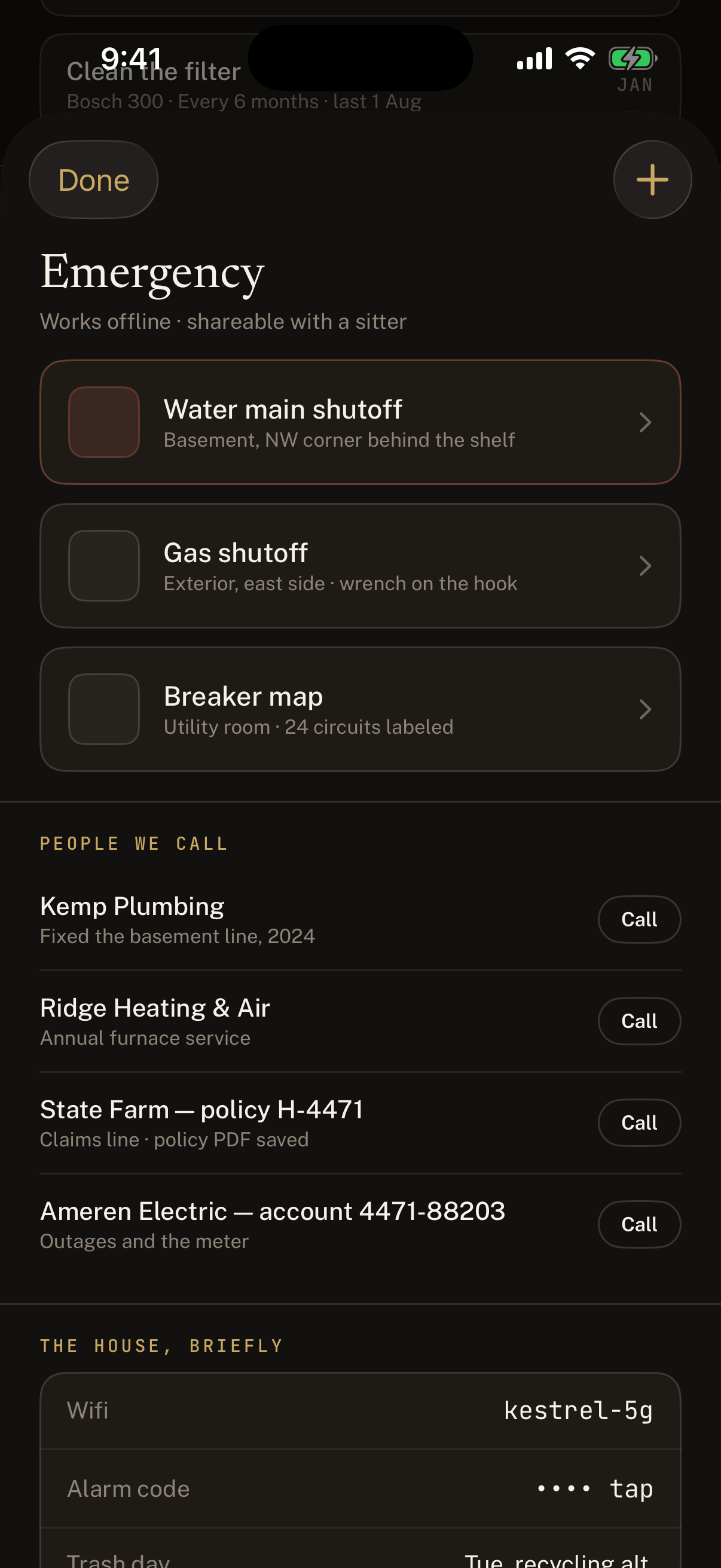
Water main, gas, breaker map, the plumber who fixed the basement line, the insurance policy number, the electric account number they ask for before they will help. Works offline. Saves as a PDF for the fridge, or a page you can hand a house-sitter — without your alarm code on it.
One iCloud invitation covers the whole thing. Kids get check-off rows and a calendar layer. Keystone writes into its own iOS calendar and never touches a personal event.
Save the record as one readable file, or save everything — that file in a folder beside every photograph and document. iCloud is sync, not backup, so the copy you keep is the one that survives a mistake.
Every warranty in the house on one page, banded by what you can still do about it — and whether it goes with the house if you sell. The manual for each thing: on file, linked, or one search away in your browser.
Your water heater is eleven years old, and these usually last eight to twelve. Keystone says so before it says so itself, adds up the next five years of likely replacements, and tells you how many of them it has no price for. Only for the things with a well-known life — never a guess about your sofa.
Nobody registers the books, the lamps and the drawer of cables. Photograph the whole room instead: the pictures sit with the room and print under it in the home inventory, so a claim shows what the list never will.
“What’s due in Keystone?” — or add something to a list, or mark a chore done, without opening the app. Your registry is searchable from the Home Screen too. Events repeat, and an alert rides along on the copy in your own calendar.
Log a contractor’s visit against the thing they fixed — what was done, when, what it cost. Tap the plumber on the emergency card and see everything they have done for the house, and whether you would have them back.
No subscription. No in-app purchases. No free tier with the good parts removed, no upgrade nag, and no lapsed state that locks you out of your own records. Buy it once, on the App Store, for iPhone and Mac together.
Keystone has no back end. Your registry, your photos, your receipts and your emergency card sit in your own iCloud account and sync to the person you share the house with. We could not read them if we wanted to, and there is no analytics SDK in the app to tell us you opened it.
Keystone is in private beta on iPhone and Mac, and coming to the App Store. Write and tell us what your house does that we have not thought of.
Keystone · a household ledger for iPhone and Mac
Overview
Support
Privacy
© 2026